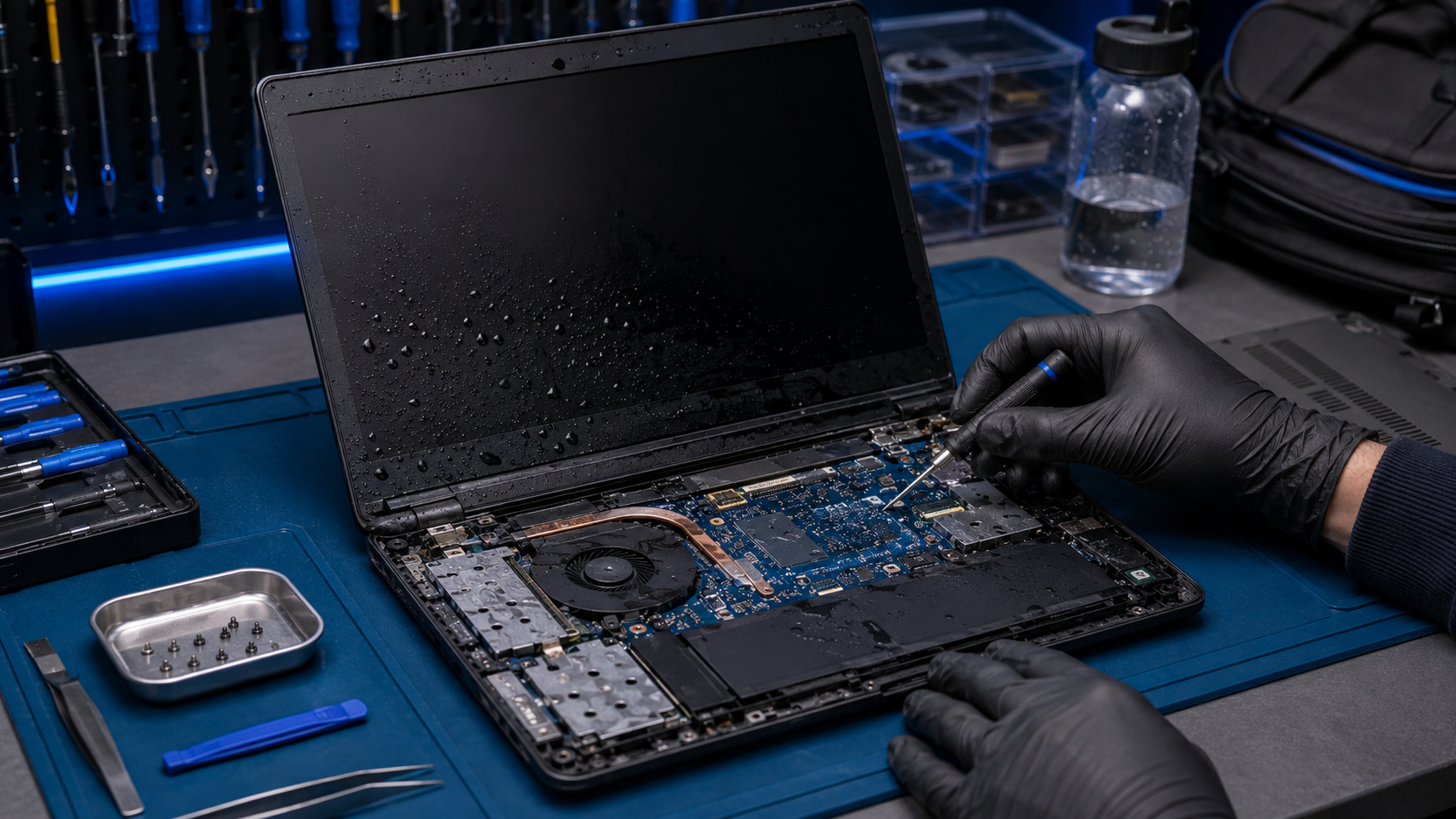
Did your computer get wet from coffee, water, soda, or a leaking water bottle in your backpack? The most important thing is not to turn the device back on. Liquid damage may look minor at first, but electricity and moisture together can damage the motherboard, keyboard, battery, or other parts. Bitmaster checks liquid-damaged laptops and desktop computers in Punavuori, Helsinki, and assesses whether repair makes sense or whether data recovery should be the priority.
Did your computer get wet?
Do not try to turn it on. Tell us what happened, what liquid got into the computer, and whether the device was on when it happened.
Describe the damage – get an assessment
Computer got wet – what to do first
If your computer has got wet, do not test whether it still turns on. This is the most common mistake. The device may look dry on the outside while moisture is still around the keyboard, ports, motherboard, or battery.
A common situation is a leaking water bottle inside a backpack. The laptop may get wet without you noticing it right away. In that case, moisture can reach the keyboard, casing, USB ports, charging port, or motherboard area. Do not turn the computer on before it has been checked, even if it has already been in the bag for several hours.
- Turn the power off immediately, if the device is still on and it is safe to do so.
- Disconnect the charger and other cables, including USB devices, display cables, and docks.
- Do not charge the device after liquid damage.
- Do not turn the computer back on, even if it seems dry.
- Dry the outside carefully with paper or a cloth, but do not blow hot air into the device.
- Bring the device in for inspection as soon as possible, especially if it contains important files or was powered on after getting wet.
With laptops, liquid often enters through the keyboard and can reach deeper parts of the device. With desktop computers, the risk depends on whether the liquid reached the inside of the case, power supply, motherboard, or graphics card.
What not to do with a wet computer
With a liquid-damaged computer, a quick test can make the situation worse. The device may not fail immediately when it gets wet. The damage often happens when power is applied while moisture is still inside.
- Do not test the power button “just quickly”.
- Do not connect the charger, even if the battery is empty.
- Do not dry the device with a heat gun or in an oven. Heat can damage the battery, plastics, and glued parts.
- Do not shake the device heavily. Liquid may spread deeper inside.
- Do not open the battery or power supply yourself. They can be unsafe to handle.
- Do not rely only on waiting, especially if the device contains important data or was damaged by a sugary drink.
Water is one situation. Coffee, soda, beer, and energy drinks are another. Sugar, acids, and residue can stay on the circuit board and connectors even after the moisture has evaporated. That is why “it dried overnight and works again” does not always mean the computer is fine.
Laptop got wet in a backpack or bag
A leaking water bottle in a backpack is a tricky case because the damage is often noticed later. The laptop may be closed, but moisture can still enter through casing seams, the keyboard, air vents, and ports. If the computer was in sleep mode, it may have had power on while the damage happened.
In this situation, it helps to tell the technician whether the device was on, in sleep mode, or fully shut down. It also matters whether the liquid was plain water or something sugary, such as juice, soda, or an energy drink.
Laptop got wet through the keyboard
In laptops, liquid damage often comes through the keyboard, touchpad, or air vents. A small amount of water may stay near the keyboard, but coffee or soda can easily spread into lower layers. The symptoms may appear immediately or later.
Typical symptoms after liquid damage include:
- the computer does not turn on at all
- the keyboard types wrong characters or some keys do not work
- the touchpad behaves strangely
- the computer shuts down by itself
- charging does not work
- the screen stays black
- the fans start, but there is no image on the screen
If your laptop got wet and the files are important, do not keep testing it. Often the first sensible goal is to find out whether the SSD or other storage device can be read safely.
Desktop computer got wet – how to assess the damage
With a desktop computer, liquid damage depends a lot on where the liquid landed. Coffee spilled on a keyboard is a different situation from liquid inside the case or on the power supply. If liquid has entered the computer case, the device should not be turned on before inspection.
With desktop computers, we usually check whether moisture has reached the power supply, motherboard, graphics card, memory slots, connectors, or storage drives. If the damage is limited to a keyboard or another external device, the fix may be simple. If liquid has entered the power supply, the situation needs to be handled more carefully.
What Bitmaster checks after liquid damage
Inspection starts with what happened and what was done after it. This matters a lot. Was the device on? Was the power button tested? Was the charger connected? Was the liquid water or something sugary?
Depending on the case, we check for example:
- visible moisture or corrosion inside the device
- damage to the keyboard, touchpad, or charging port
- whether the motherboard reacts normally to power
- possible battery or charging circuit issues
- whether the storage device can be read
- whether repair makes sense considering the age and value of the device
We do not promise a repair before the device has been checked. With liquid damage, the sensible solution may be cleaning, replacing a single part, recovering the data, or deciding that the computer is not worth repairing.
Repair, data recovery, or insurance assessment?
With a wet computer, the most important question is not always “can the computer be fixed”. If the device is old or the liquid damage is extensive, recovering the data may be a better goal than an expensive repair.
The usual process is:
- Fault assessment: we check what happened to the device and whether repair is realistic.
- Data recovery: we check whether photos, documents, and other files can be recovered.
- Repair estimate: we assess whether it makes sense to repair or replace the device.
- Insurance assessment: if needed, we can prepare an assessment for the insurance company when suitable for the case.
If the device is fairly new and the damage is limited, repair may make sense. If the liquid has damaged the motherboard, battery, and keyboard at the same time, the cost can quickly rise above the value of the device.
How much does a wet computer inspection cost?
The exact price depends on the device, the extent of the damage, and whether the case requires inspection only, cleaning, spare parts, or data recovery. With liquid damage, we do not give a final price before the device has been checked.
In practice, the cost usually depends on:
- opening the device and assessing the fault
- possible cleaning and drying
- replacement of the keyboard, battery, charging port, or another part
- data recovery as a separate job
- a repair estimate or insurance assessment, if needed
If repair does not make sense, we will say so directly. The goal is that you do not pay for unnecessary work on a device that is no longer worth repairing.
When is a wet computer not worth repairing?
Repair is not always the best option. If the device is old, spare parts are hard to find, or the damage reaches the motherboard and several other parts, repair may not be a good financial decision.
Instead of repair, it may make more sense to:
- recover the important files
- move the data to a new computer
- prepare an assessment for the insurance company
- replace the device with a used or new computer
At this point, an honest assessment often saves money. If repairing the computer would cost almost as much as a working replacement device, we will say that before continuing the work.
Bring your wet computer to Punavuori
Bitmaster checks liquid-damaged computers in Punavuori, Helsinki. You can bring the device to us or describe the situation first through the contact form. In your message, tell us the device model, what liquid got into it, when it happened, and whether the device has been turned on after the damage.
Ready to act?
Tell us what happened. We will assess whether it makes most sense to inspect the device, recover the data, or prepare a repair estimate.
Contact Bitmaster